How to Start a 3D Printing Business From Your Garage
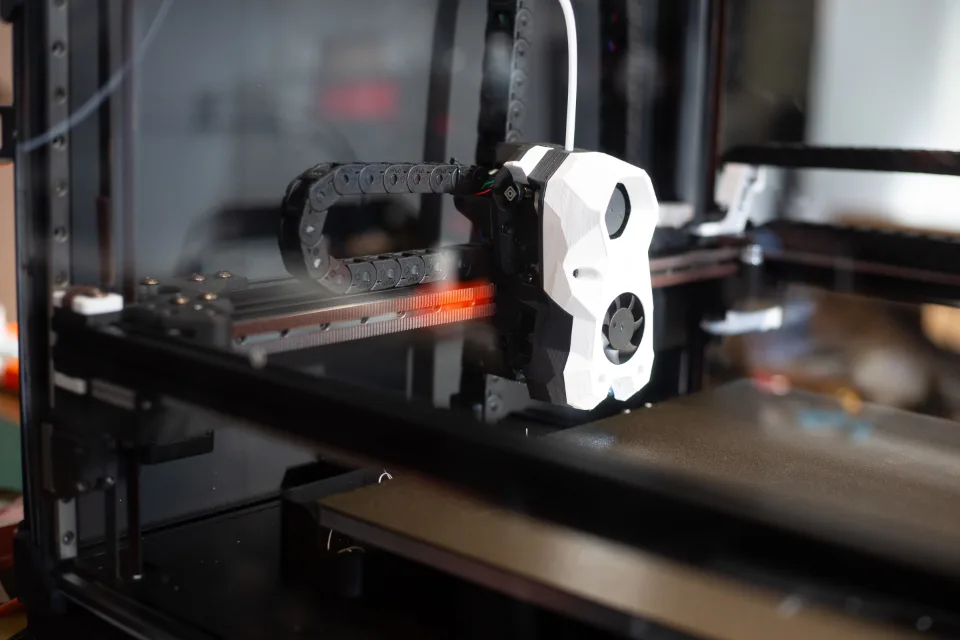
A 3D printer takes up about as much room as a microwave, runs quietly in the corner of a garage and can turn a spool of plastic into organizers, replacement parts, planters, game pieces or prototypes. That makes 3D printing one of the more approachable maker businesses to start from home. It also has a few traps that catch beginners: underestimating the real cost per print, ignoring the fumes, and selling designs they don’t have the rights to.
This guide walks through what the business looks like, what the equipment costs, how to work out your cost per print, how to keep your workspace safer, and what you can (and can’t) legally sell.
What a garage 3D printing business looks like
Most small 3D printing businesses fall into one of three models, and many owners mix them:
- Your own products. You design items yourself and sell them online, at markets or to local shops. This model gives you the most control and avoids most licensing headaches, but it means learning CAD software and testing designs.
- Printing as a local service. You print parts or prototypes for people who bring you a file or a problem: a broken knob, a bracket, a custom mount. Expect lots of back-and-forth on each job, and price your time accordingly.
- Small-batch production for others. Some makers print components for other small businesses, such as cases, jigs or display pieces. Repeat orders are the appeal; the downside is tighter margins and deadlines.
Whichever route you pick, start narrow. A focused line of products you’ve designed and tested is easier to market, price and produce than “I can print anything.”
Equipment and realistic costs
Printers
Prices on consumer printers have come down a lot. As of April 2026, a buyer’s guide from PrintPal listed Bambu Lab’s A1 Mini at $219 and the A1 at $299, with multicolor “Combo” bundles at $329 and $399. Enclosed models such as the P1S started at $399, and the P2S at $549. Higher-end machines in the same lineup ran from about $2,400 upward. Other brands sell in similar ranges, so treat these as a guide to price levels rather than a recommendation.
For a business, an enclosed printer is worth a look. An enclosure helps with materials that are sensitive to drafts and temperature, and it keeps hands and pets away from hot parts. Many sellers start with one reliable machine and add a second only once orders keep it busy.
Filament
Material is the cost you’ll pay over and over. As of May 2026, Snapmaker’s pricing guide put a 1 kg spool of PLA at about $18–$24, PETG at $20–$26 and ABS at $17–$23. Flexible TPU and outdoor-friendly ASA cost more, at roughly $35–$50 and $35–$45 per kilogram. Specialty materials like nylon and carbon-fiber blends ran from about $45 to $90 per kilogram.
Most beginners start with PLA because it prints easily at lower temperatures. PETG is a common next step for parts that need more toughness. Buy a few colors that suit your product line rather than a rainbow of spools you may never use.
The rest of the setup
Beyond the printer and filament, plan for a sturdy table that doesn’t wobble, airtight storage for filament (it absorbs moisture), a digital scale for weighing prints, calipers for measuring parts, basic finishing tools such as flush cutters and deburring tools, and shelving and bins for finished stock and packaging. A laptop that can run slicer and design software is essential.
How to work out your cost per print
The material cost of a single print is simple math: divide the spool price by 1,000 to get a per-gram cost, then multiply by the weight of the model. Snapmaker’s guide uses a $22 spool as its example, which works out to $0.022 per gram. A 40 g phone stand would use about $0.88 of filament.
That number is only the start. The same guide points out three kinds of waste that quietly raise your real material cost:
- Failed prints. A 10% failure rate turns a $20 spool into an effective $22 per kilogram.
- Supports. Depending on the model, 10% to 30% of the filament can end up as support material that goes in the trash.
- Purge waste. Multicolor prints can throw away more plastic in color changes than ends up in the part itself.
Electricity is usually small; Snapmaker estimated it at typically under $0.05 per hour of printing. The bigger hidden costs are your time (setup, removing supports, sanding, packing), packaging, marketplace and payment fees, and the wear and tear on the printer itself.
Pricing approaches
There’s no standard price per gram that works for every product, so build each price from the bottom up:
- Material cost, including an allowance for failures, supports and purge waste.
- Machine time, so the printer earns back its price and parts like nozzles and build plates over its working life.
- Your hands-on time for preparing files, finishing and packing, at an hourly rate you’d actually accept.
- Packaging, shipping supplies and platform or payment fees.
- A profit margin on top.
Then compare the result with what similar items sell for. If you can’t reach a price buyers will pay, change the design (less material, fewer supports, faster print settings) before you cut your margin. Custom work for local customers should carry a design or setup fee, because the modeling often takes longer than the printing.
Space, ventilation and safety
3D printing isn’t emissions-free. When NIOSH, the federal workplace safety research agency, evaluated 3D printing in 11 school settings, investigators measured both volatile organic compounds (VOCs) and ultrafine particles in the air during printing. The agency recommended a mix of engineering controls (equipment and setups that limit emissions), administrative controls (how printers are used and managed) and personal protective equipment.
For a garage business, that translates into a few practical habits:
- Keep printers out of bedrooms and main living areas, and away from where children and pets spend time.
- Give the space fresh-air ventilation, and consider an enclosed printer, especially if you print materials such as ABS or ASA.
- Follow the printer maker’s temperature settings and the filament maker’s safety data sheet for each material.
- Keep a working smoke alarm and a suitable fire extinguisher nearby, keep flammable materials away from the printer and check on long prints.
- Wear eye protection and gloves when cutting supports or using solvents or resins for finishing, and follow product labels.
What you can (and can’t) legally sell
This is where many new sellers get into trouble. An All3DP legal guide from May 2026 stresses that the license on a model file decides whether you can sell prints of it, not whether you paid for the file. Key points from that guide:
- Files under a “non-commercial” (NC) license are for personal use only; you can’t sell prints of them.
- Creative Commons licenses without an NC term generally allow sales, but some carry conditions, such as giving credit to the designer.
- Some platforms use their own license terms, and some designers sell separate commercial licenses.
- Characters, logos and brand names are protected by copyright and trademark, whatever license the file itself has. Lots of fan-art sellers go unchallenged, but that doesn’t make it legal.
- Etsy introduced a rule in 2025 requiring sellers to design the 3D-printed items they sell, so check each marketplace’s current policy.
The safest path is to sell your own original designs. Also be careful with product categories that bring extra rules: items for children, anything that touches food, wearables that sit on skin, and items with magnets or electronics. Children’s products in particular are subject to federal safety requirements, and a “not for small children” label isn’t a defense. This is general information, not legal advice; if you’re unsure, talk to an attorney who works with intellectual property or product safety.
Permits, taxes and insurance
Running any business from home can involve a business license, home-occupation rules, sales tax registration and insurance that covers business activity. Rules vary by state, county and city, so check with your local government and state revenue department, and talk to an insurance agent about coverage for equipment and product liability. Our articles on zoning and on home business insurance (linked below) cover the basics.
Common mistakes to avoid
- Buying several printers before you have steady demand for one.
- Pricing by filament weight alone and forgetting time, failures and fees.
- Selling prints of files with non-commercial licenses or of trademarked characters.
- Printing in a poorly ventilated room in the house instead of a dedicated, ventilated space.
- Trying to offer everything instead of building a recognizable product line.
Start with one printer, a small set of products you designed and tested, and honest numbers. You can scale from there once you know what sells.
More on Garage Business Blueprint
- How to Start a Laser Engraving Business From Your Garage
- Can You Legally Run a Business From Your Garage? Zoning, Permits and HOA Rules Explained
- Home Business Insurance: What Your Homeowner’s Policy Won’t Cover and What to Buy Instead
Sources
- PrintPal: Which Bambu Lab Printer Is Right for You? A 2026 Buyer’s Guide
- Snapmaker: How Much Is Filament for a 3D Printer? (2026 Pricing & Waste Guide)
- CDC/NIOSH: 3D Printing in Non-Industrial Spaces: A Summary of Emissions Evaluations in 11 School Settings
- All3DP: Selling 3D Printed Items – A Legal Guide