How to Start a Laser Engraving Business From Your Garage
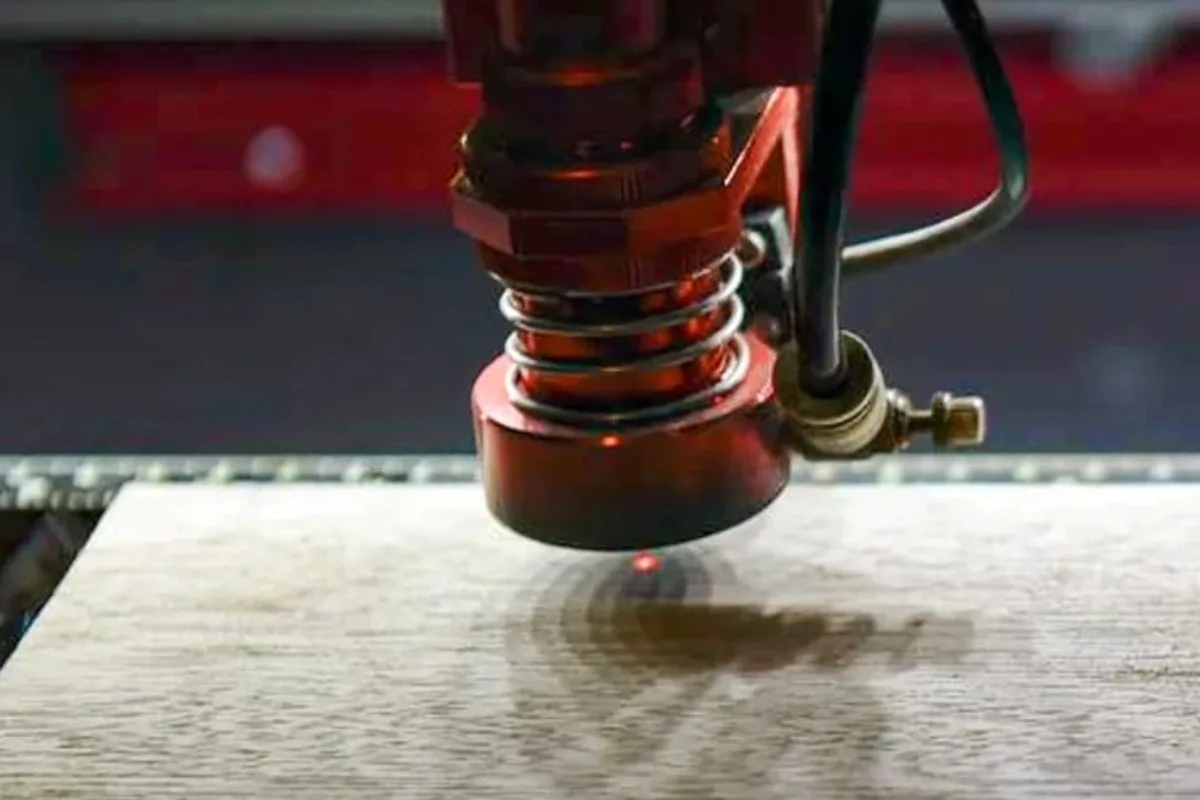
A laser engraver can turn a corner of your garage into a small personalized-products shop. You load a design, press start, and the machine etches or cuts wood, leather, acrylic, and more. The learning curve is real, though, and so are the safety needs. Here is a practical look at how to get started.
What a Laser Engraving Business Involves
You make custom items on request or build a small catalog. A laser equipment seller’s guide lists personalized tumblers, wooden signs, corporate awards, leather wallets, wedding gifts, promotional products, and business signage as typical offerings (Thunder Laser USA). Cutting boards fit the same mold: a name or a monogram turns a simple board into a gift. Common materials include wood, acrylic, leather, slate, cork, glass, and some metals.
Your time goes into three things: designing, running the machine, and finishing and packing. Expect to spend as much time on design files and customer messages as on engraving.
Choosing a Machine: Diode, CO2, or Fiber
The three main types differ in what they can mark. One comparison guide published in September 2025 gives these rough price ranges (Creality Falcon):
- Diode: about $400 to $2,000. Handles wood, leather, and coated metal, and is positioned for hobbyists and startups.
- CO2: about $2,000 to $6,000 and up. Works well on organic materials such as wood, acrylic, and leather, and suits heavier use.
- Fiber: about $6,000 to $20,000 and up. Built for metals and some industrial plastics.
Another guide, from July 2023, puts diode machines at roughly $200 to $2,000 and CO2 machines at roughly $500 to $10,000 for consumer and small-business models. It also notes that low-cost machines often have work areas around 400 by 400 millimeters (CNC Sourced). Prices differ between sources and change often, so treat all of these as estimates as of October 2026 and check current listings.
Thunder Laser’s guide calls CO2 typically the best investment for gifts, signs, and home décor, while fiber is aimed at metals such as stainless steel, aluminum, and brass (Thunder Laser USA). Note that both sellers make laser equipment, so read their advice with that in mind.
Other Equipment and Software
- A computer to run the machine.
- Air assist or an air compressor, which helps clear debris while cutting.
- A fume extraction or exhaust system (more on that below).
- A rotary attachment if you want to engrave tumblers and bottles.
- Safety glasses matched to your laser’s wavelength, plus storage for materials and cleaning supplies.
For design, the Thunder Laser guide names LightBurn, Adobe Illustrator, and CorelDRAW. The CNC Sourced article lists free options such as LaserGRBL and Inkscape and describes a standard LightBurn license as costing about $60 (as of its 2023 publication).
Ventilation and Fire Safety
This is the part not to skimp on. Every material gives off something you should not breathe. Acrylic releases methyl methacrylate, MDF releases formaldehyde, and PVC releases chlorine, which is why PVC and vinyl should never go under the laser (Thunder Laser USA safety guide; AtomStack safety guide).
- Extract at the source and vent outdoors where possible. A room fan only moves contaminated air around.
- HEPA filters catch particles but not vapors; those need activated carbon, which wears out.
- Open-frame diode machines usually ship without exhaust ducting, so plan an enclosure and an active blower.
- Never leave a running machine unattended. Most fires start in scrap and dust under the workpiece, so clean the bed often.
- Keep a CO2 or clean-agent extinguisher or a fire blanket within reach. Dry powder units can ruin optics and electronics.
- Wear glasses rated for your laser’s wavelength. Diode and CO2 lasers need different lenses.
A smoke detector in the room is a cheap extra layer of protection.
Space and Power
A garage works well as long as you can set up a dedicated bench, route exhaust outside, and keep flammable clutter away. Power and space needs vary by machine, so check your chosen machine’s manual for its electrical requirements and footprint, and have an electrician look at your circuits if you are unsure.
Pricing Your Work
A simple approach: material cost plus machine time, labor, overhead, and profit equals the selling price. Count design time, electricity, packaging, shipping supplies, and maintenance too. The Thunder Laser guide also advises against competing on price alone. Quality, speed, and personalization are better selling points.
Where to Sell
- Your own website, with good photos and a quote request form.
- Marketplaces such as Etsy and Amazon Handmade, and local Facebook Marketplace.
- Social media, including Instagram, Facebook, Pinterest, and TikTok.
- Local outreach to schools, offices, trophy shops, wedding planners, and small businesses.
Permits and Insurance: The Basics
This is general information, not legal advice. The Small Business Administration notes that license and permit requirements depend on your activity and location, and that you need to look up your own state, county, and city rules (SBA). Home-occupation and zoning rules vary, so call your city or county first. If you sell products for children, product-safety rules may apply, so ask a professional.
On insurance, the SBA says a home business is typically added to a homeowner’s policy as a rider that offers limited protection, and that a business owner’s policy suits home-based owners (SBA). Call your insurance agent before you start, especially since you will be running a laser at home.
Your First 30 Days
- Week 1: Research local permit and zoning rules, call your insurance agent, and pick two or three starter products.
- Week 2: Set up your space with extraction, a fire extinguisher, a smoke detector, and glasses, then order the machine and software.
- Week 3: Practice on scrap material, test settings, and keep notes for each material.
- Week 4: Make samples, photograph them, set prices using your cost formula, and share them with friends, local businesses, and an online shop page.
Start small, stay safe, and treat each early order as a chance to learn.
Sources
- Thunder Laser USA: How to Start a Laser Engraving Business
- Creality Falcon: CO2 vs Diode vs Fiber Laser
- CNC Sourced: Laser Engraver Prices Guide
- AtomStack: The Complete Laser Engraver Safety Guide
- Thunder Laser USA: Are Laser Engravers Dangerous?
- U.S. Small Business Administration: Apply for Licenses and Permits
- U.S. Small Business Administration: Get Business Insurance